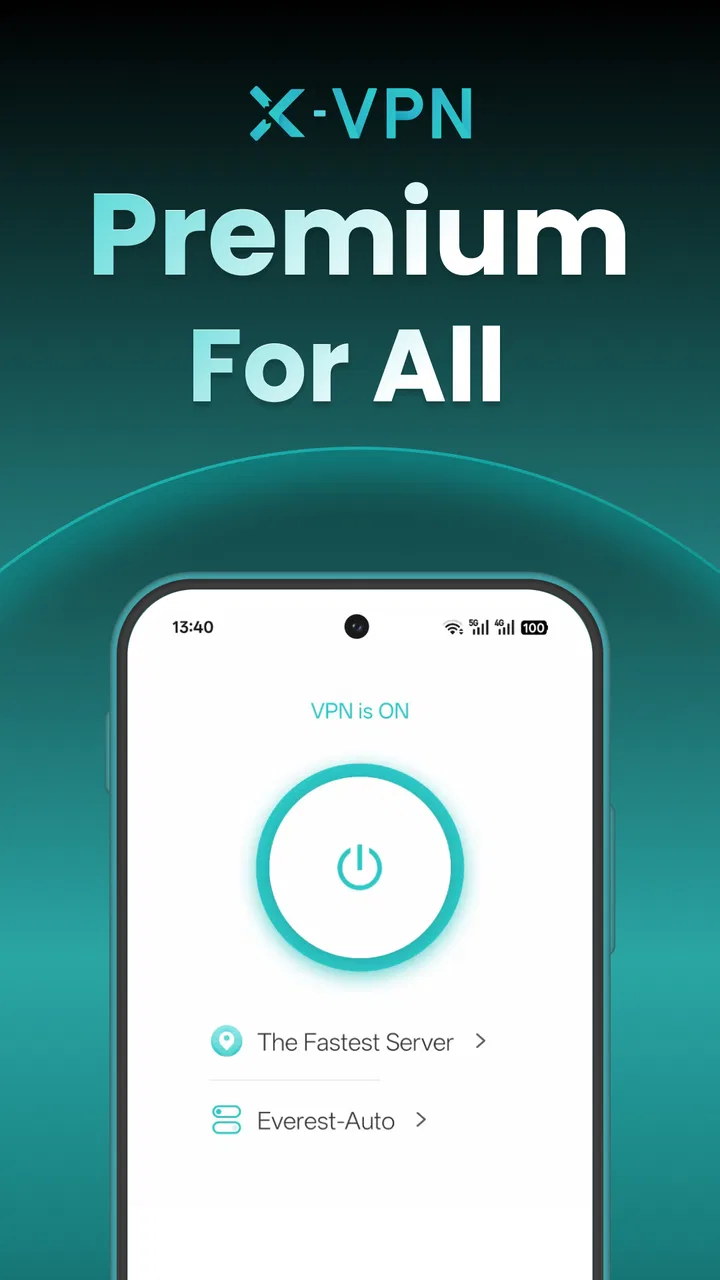
X-VPN: Fast VPN & Secure Proxy
- 4.5
- Rating
- 50.00M
- Installs
- Free
- Price

 Analysis by App-foxy
I approached X-VPN: Fast VPN & Secure Proxy as a practical privacy tool rather than a magic button for making every connection faster. Its main job is to create a private VPN connection for browsing and Wi-Fi use, and in everyday testing that makes the most sense when I am moving between networks I do not fully trust. The app is free to start, aimed at Teen users, and belongs in the tools category rather than entertainment or social apps.
What immediately makes it approachable is the simple purpose: open it when you want an extra privacy layer, connect, and then use the internet normally. That simplicity is also its strongest selling point. You do not need to understand routing or manually configure a VPN profile before trying it. At the same time, I would not treat it as a universal answer for streaming, gaming, downloads, and privacy all at once. A VPN changes the path your traffic takes, so speed and stability depend heavily on the connection you begin with.
How X-VPN feels during ordinary use
I’ll focus on the small choices that make everyday use smoother, especially deciding when to connect before opening an account or other sensitive app. That routine is more useful than treating a VPN as something to switch on automatically for every task, and it leads naturally to the practical question of getting started.
You May Also Like

 Blood Strike: 2.5 Anniversary
Blood Strike’s Loadouts Turn Every Drop Into a Tactical Gamble
A close look at Blood Strike’s custom loadouts: how fast access to signature weapons reshapes its battle royale rhythm, rewards preparation, and narrows the gap between fights.

 Pandora - Music & Podcasts
Pandora’s Music Is Easy to Start, but Harder to Recover
Pandora’s strength is its low-effort path from a seed to a station. Its weak spot is how much confidence it asks you to place in connection, setup, and quiet recovery.

 8 Ball Pool
 Is Built on Rivalries, Rematches, and Routine
A close look at the rivalries, rematches, shared routines, and unanswered safety questions that turn a quick pool match into a persistent mobile community.

 Samsung Music
’s Quiet Strength Is Playing What You Already Own
Its reach comes less from spectacle than from dependable access to a personal library. That simplicity is both the app’s strongest retention engine and its ceiling.

 AccuWeather: Weather Radar
AccuWeather Review: A Quick, Clear Forecast for Everyday Decisions
For everyday plans, the best forecast is the one you can understand quickly. AccuWeather makes rain timing, radar, and local conditions easy to act on, with a few trade-offs.

 Hill Climb Racing
Why Hill Climb Racing Still Turns Crashes Into One More Run
A tiny car, a bumpy hill and one more upgrade: Hill Climb Racing keeps resurfacing because its simple chaos makes every near-miss feel personal.
More From Our News Desk



Speed expectations are more realistic than the name suggests
The word “Fast” in the name creates a high expectation, but a VPN cannot guarantee that every connection will be quicker than a direct one. In my experience, the useful question is whether the connection remains comfortable for the task at hand. For reading websites, checking messages, using maps, or handling light browsing on public Wi-Fi, X-VPN feels like a reasonable convenience. The extra routing is less noticeable when the original network is already stable.
For larger pages, image-heavy sites, or anything that needs a continuous stream of data, I pay closer attention to pauses. A VPN may add distance between the phone and the service being used, and that can affect responsiveness even when the local Wi-Fi signal looks strong. I would therefore judge this app by consistency rather than expecting a speed increase. If your home connection is already excellent and you are not concerned about privacy on that network, leaving a VPN active all the time may offer less practical benefit than using it selectively.
One useful habit is to connect before opening the sensitive app or website, not halfway through a task. That avoids beginning a session on one network path and continuing on another. It is a small workflow change, but it makes X-VPN easier to use intentionally. I also prefer checking whether ordinary browsing still feels responsive before starting a demanding activity, because a connection that is fine for text can feel less comfortable with video or large file transfers.
The app has attracted an average rating of 4.5 from around 808 thousand ratings, which suggests that many people find the basic experience approachable. I read that as evidence of broad appeal, not as a promise that every location, phone, or network will perform identically. VPN performance is especially sensitive to congestion, distance, and the quality of the Wi-Fi or mobile connection underneath it.
Heavy-use moments reveal the real trade-off
The difference between light browsing and heavy use is where I would set expectations carefully. When I am only opening articles or checking an account, a modest delay is easy to tolerate. During a long video session, a large download, or a cloud-heavy workflow, any interruption becomes more obvious. X-VPN can be useful in those situations when privacy matters more than maximum throughput, but I would not activate it blindly and assume the experience will stay identical to a direct connection.
Gaming is another case where I would be cautious. The important issue is not just download speed; latency and route stability matter more. A VPN may help someone whose network path has a particular problem, but it can also introduce another point of delay. For competitive play, I would compare a normal connection with X-VPN during the actual game and keep the option that produces steadier response. This is one of the situations where a specialist gaming network tool may be a better fit than a general-purpose VPN app.
For work, I find the app more convincing as a protective layer on unfamiliar Wi-Fi than as a permanent performance setting. Imagine working from a café, sending documents, joining a meeting, and then moving to a hotel network later in the day. Connecting before opening work services gives me a repeatable routine. If the meeting begins to stutter, I would first check the underlying network and then compare the VPN connection with the direct one rather than assuming the app is automatically responsible.
There is also a practical data-management trade-off. A VPN does not remove the amount of information a service needs to transfer. If a site loads large images or a video app uses substantial mobile data, the VPN does not make that content smaller by itself. People using limited mobile plans should still monitor their normal usage. The privacy layer can be valuable, but it should not be confused with compression or a way to bypass the limits of a weak signal.
Stability matters more than a dramatic first connection
A good VPN experience is not only about connecting once. It is about what happens when I leave home Wi-Fi, enter a building, switch to mobile data, or pass through a weak area. X-VPN is most useful when I treat reconnection as part of the routine instead of assuming that one tap protects every future network change forever. After a network transition, I check the app before continuing with anything sensitive.
That habit also answers a common concern: what should you do if browsing suddenly stops working after connecting? My first step is to disconnect and reconnect, then compare the result with the original network. If the direct connection works but the VPN path does not, the problem is likely related to the current VPN session or route. If neither works, the underlying Wi-Fi or mobile service is the more likely place to investigate. This simple separation prevents a lot of unnecessary troubleshooting.
Recovery time is important in real life because people rarely want to study settings while standing in a station or checking in at a hotel. The app’s straightforward purpose makes it suitable for a quick retry, but I still recommend keeping expectations modest in weak-signal areas. No VPN can repair a broken internet connection. When the base network is unstable, adding privacy protection may preserve the goal of safer browsing, but it cannot manufacture a reliable signal.
I also avoid making a connection decision based on one short session. A route that feels responsive in the morning may behave differently later, especially on crowded public networks. Instead, I look for a pattern across the activities I actually perform: opening several pages, signing in, uploading a small document, and using a normal media service. That gives a more useful picture than a single impressive connection moment.
What the app demands from a phone
As a tools app, X-VPN is designed around an action I can start and stop without reorganizing the rest of my phone. That is helpful on devices where I want privacy protection available but do not want a complicated network-management project. Still, any active VPN connection is another service running alongside the browser, messaging apps, and other background activity. On an older or heavily loaded phone, I would pay attention to battery behavior and general responsiveness rather than assuming the impact is identical on every device.
Storage is not the only device constraint. A phone with limited memory may already struggle when many apps are open, while a weak processor or a crowded system can make network tasks feel slow even when the connection itself is fine. If X-VPN appears to be causing trouble, I would close unused apps, reconnect, and test the same task directly. That comparison helps distinguish a VPN issue from a phone that simply needs attention.
I would also avoid leaving the app active without a reason on a device where battery life is critical. For a commuter, traveler, student, or remote worker, turning it on for public Wi-Fi sessions is a sensible workflow. For someone who spends nearly all day on a trusted home network and wants the lowest possible overhead, selective use may be more comfortable. The right choice depends on whether privacy convenience outweighs the small amount of extra network management.
Because the content rating is Teen, families should still make their own decision about whether the app suits a younger user. The rating does not replace supervision or explain how a particular child should use a VPN. I would show a teenager when to connect, how to recognize that the VPN session has ended, and why a VPN is not permission to ignore normal account security or safe browsing habits.
Where X-VPN fits among familiar alternatives
The usual alternatives fall into a few groups. Some phones offer built-in network controls, but those can require more manual setup and may not feel welcoming to someone who only wants a quick privacy connection. Browser-based privacy tools are convenient for web pages, yet they may not cover other apps in the same way. Paid VPN services often appeal to people who want a broader set of controls, a particular location choice, or a more specialized workflow. X-VPN sits closer to the accessible, general-purpose end of that range.
That position is a strength for casual users. I can recommend it to someone who wants to understand the basic VPN experience without committing money immediately. The app has more than 50 million installs, so it is clearly not an obscure experiment, and its free entry point lowers the barrier to trying it. The developer is LIGHTNINGLINK NETWORKS PTE. LTD., and the product has been available since June 29, 2017, giving it a long presence in this category.
The trade-off is that free access is not the same as a fully tailored service for demanding users. In-app purchases range from $11.99 to $91.99 per item, so anyone considering paid options should inspect the actual offer shown in the app and decide whether it matches their needs. I would not upgrade merely because a connection feels slow once. First I would test the same location and activity at different times, check the underlying network, and decide whether the paid tier solves a real problem rather than a temporary one.
For someone who needs a VPN for a specific professional policy, a fixed business setup, or highly predictable performance for competitive gaming, I would look at a more specialized solution. X-VPN is easier to approach than many technical alternatives, but that convenience does not make it the best tool for every requirement. Its strongest case is everyday privacy on changing networks, not guaranteed performance for a demanding niche.
Small workflows that make the app more useful
My first practical tip is to make a connection check part of arriving somewhere new. Before signing into an account on public Wi-Fi, I open X-VPN, connect, and then load a normal webpage. If the page is unusually slow, I do not immediately blame the VPN; I compare with the network itself and decide whether privacy or speed matters more for that particular task.
My second tip is to separate sensitive work from high-bandwidth work. I might keep the VPN on while checking email or sending a document, then test the connection before starting a long video call. This is not because video is automatically unsafe without it, but because it makes the performance trade-off visible. The approach also helps identify whether the app is suitable for the way I actually use my phone.
A third useful habit is reconnecting after a network change. Moving from Wi-Fi to mobile data, waking the phone after a long idle period, or entering a different hotspot can change the conditions underneath the VPN. I do not regard the icon alone as proof that everything is behaving perfectly. I reopen the app when the network changes and confirm that the session is still useful before continuing.
Finally, I would not use a VPN as a replacement for strong passwords, device updates, or careful decisions about links and downloads. X-VPN can add privacy protection to the connection, but it cannot make a suspicious website trustworthy or prevent an account from being compromised through reused credentials. The best results come from combining the app with ordinary security habits.
Who should use it and who should skip it
I think X-VPN is a good match for people who regularly use café, airport, hotel, school, or shared office Wi-Fi and want a simple way to add a private connection. It also suits first-time VPN users who prefer a free starting point over a technical setup. Travelers may appreciate having the tool ready when networks change, while casual users can activate it only for browsing sessions where privacy feels especially important.
I would be more cautious recommending it to someone whose top priority is the lowest possible latency, uninterrupted high-resolution streaming, or predictable performance for large transfers. Those users should compare carefully with a paid or specialized alternative. I would also skip it if I were unwilling to troubleshoot occasional network differences or monitor how the phone behaves while the VPN is active. Convenience is the app’s appeal, but no privacy tool removes every performance compromise.
For most people, the decision comes down to how they balance protection and speed. If I am checking a bank account on unfamiliar Wi-Fi, I value the extra privacy layer more than a small delay. If I am trying to win a time-sensitive online match or finish a large upload on a weak network, I may prefer the direct connection or another service better suited to that task. That kind of situational choice is more realistic than leaving any VPN enabled without thinking about the activity.
My performance verdict
After looking at speed expectations, demanding use, recovery, and device impact together, I see X-VPN as a practical entry-level tool with a clear everyday purpose. It is easy to understand, free to begin using, and well suited to privacy-conscious browsing on networks I do not completely trust. Its large install base and strong average rating reinforce that it works for a broad audience, but they do not erase the normal limitations of VPN technology.
My recommendation is to use X-VPN selectively and judge it by stability for your own routine, not by the promise of universal speed. Connect before sensitive browsing, retest after switching networks, and compare direct and VPN connections when a demanding task feels slow. If those habits fit your needs, this app is a sensible starting point. If you require specialized controls or consistently minimal latency, another VPN category may serve you better.
In short, X-VPN: Fast VPN & Secure Proxy earns its place as a straightforward privacy option rather than a performance miracle. I would install it for travel, shared Wi-Fi, and occasional protective browsing, while keeping my expectations grounded during gaming, streaming, and large transfers. That balance is what makes the app useful: it gives ordinary users an accessible tool, provided they remember that safer routing and maximum speed are sometimes competing goals.
FAQs for X-VPN: Fast VPN & Secure Proxy
01What platforms is X-VPN available on?
X-VPN is available for both Android and iOS devices, providing seamless VPN services across major mobile platforms. Users can download it from the Google Play Store for Android or the App Store for iOS. The app is optimized for smartphones and tablets, ensuring a smooth user experience.
02How does X-VPN ensure user privacy?
X-VPN employs military-grade encryption to protect user data and ensure privacy. It does not log user activities, meaning your browsing history and personal information remain confidential. The app also offers different security protocols, allowing users to choose the level of security they need based on their activities.
03Does X-VPN offer a free version?
Yes, X-VPN offers a free version, but it comes with certain limitations such as access to fewer server locations and slower speeds. For enhanced features, such as access to over 5,000 servers worldwide and faster connection speeds, users can opt for a premium subscription.
04Can X-VPN bypass geo-restrictions?
X-VPN is designed to help users bypass geo-restrictions, allowing access to content that may be blocked in their region. By connecting to servers in different countries, users can enjoy streaming services, websites, and apps that may otherwise be unavailable in their location.
05Is X-VPN easy to use for beginners?
X-VPN is designed with user-friendliness in mind, making it suitable for beginners. The interface is intuitive, with a simple one-click connection feature. Users can easily select server locations and switch between them without any technical expertise, making it accessible for all user levels.
Pros
- Fast and reliable connection speeds.
- User-friendly interface with easy navigation.
- Supports a wide range of servers globally.
- No-log policy ensures privacy.
- Works well with streaming services.
Cons
- Free version has limited features.
- Occasional connection drops.
- Not all servers support torrenting.
- Premium version is relatively pricey.
- Customer support can be slow.

X-VPN: Fast VPN & Secure Proxy
Gallery